Office travel planner
Find the best days to visit the office, where to sit, and how to get there.
Prompt
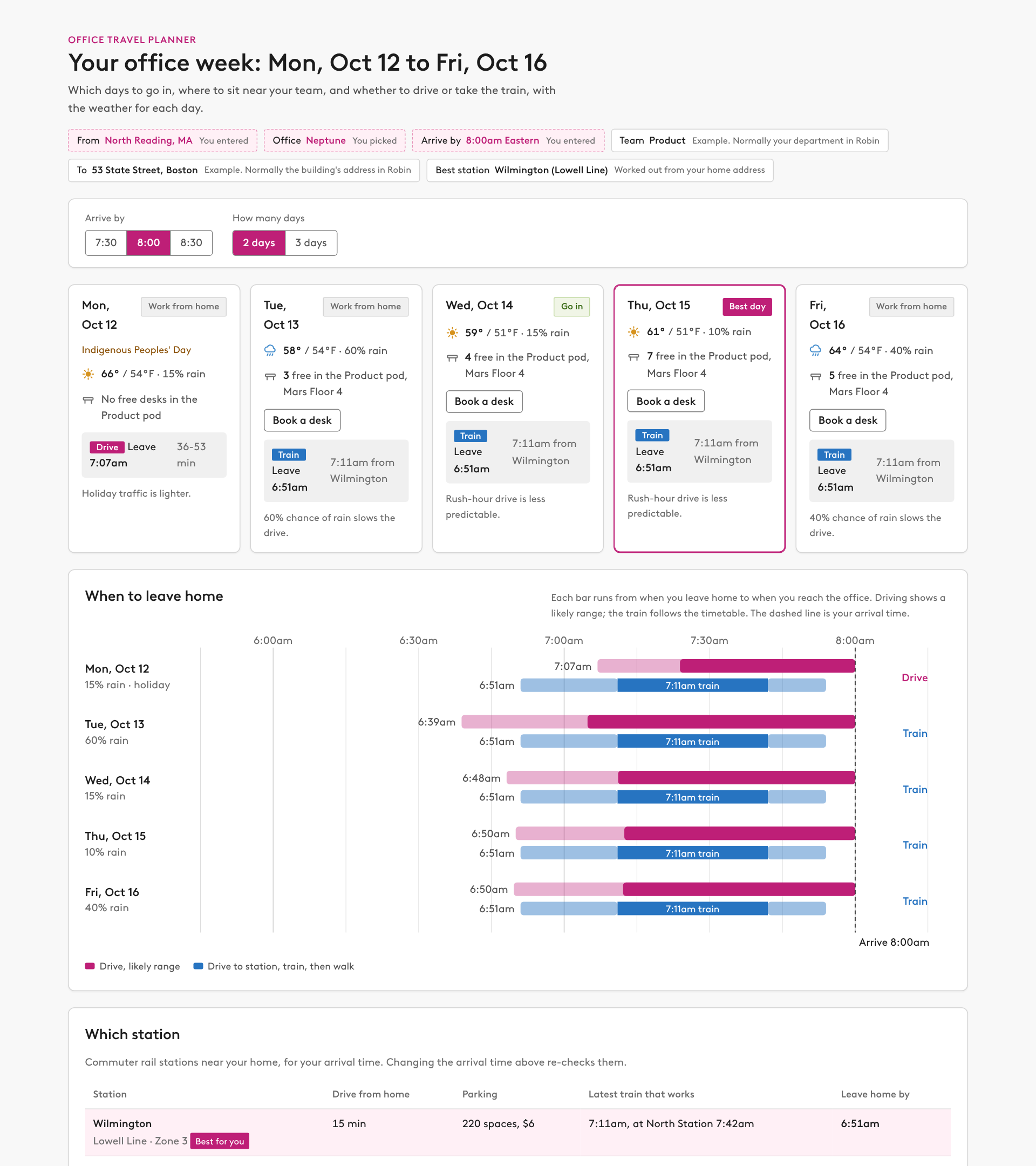
Plan my office week. I live at [HOME ADDRESS], I want to go into the [OFFICE] office, and I need to arrive by [ARRIVAL TIME]. Using Robin, find my team, see which days they're in and where they sit, and suggest which days I should come in and where I should sit. Then work out whether I should drive or take transit, and from which station, using traffic and transit information for those days, and add the weather forecast. Build an artifact using our design system that summarizes all of this in one view.

Work these out yourself, don't ask me
- My team: get my Robin profile with get_current_user_info, then look me up with find_people to get my department and manager. My team is everyone in my department. If I have no department, use everyone who reports to my manager. If neither is set, tell me and ask who to include.
- The destination: the [OFFICE] building's address and time zone from get_office_locations.
- The station and line: list the commuter rail or subway stations within a reasonable drive of [HOME ADDRESS] that serve the destination, get each one's weekday timetable, and pick the one that lets me leave home latest and still arrive by [ARRIVAL TIME], counting the drive to the station, parking and the trip from the last stop to the building.

How to do it
1. Read each teammate's desk bookings for the next two weeks. If nobody on my team books at [OFFICE], say so plainly and show where they do book instead.
2. For the floor where most of the team sits, check open desks for each weekday (8am to 5pm in the building's time zone). If that floor is full, check the next closest floor, and prefer a pod named for the team.
3. Get the weather forecast at the building for each weekday: high, low and chance of rain.
4. Estimate the drive from [HOME ADDRESS] to the building at that time of day: free-flow time, a weekday rush-hour factor, extra time on rainy days, less on holidays, and time to park. Show it as a range, cite where the traffic numbers come from, and say it is an estimate.

Build the page
- A strip at the top with my details, marking which ones I entered and which you worked out (team, destination, best station).
- Controls for arrival time (30 minutes earlier, my time, 30 minutes later) and how many days to come in (2 or 3).
- One card per weekday: a verdict (best day, go in, or work from home), weather with an icon, free desks near the team, the recommended way to travel with a leave-home time, and one short reason.
- A "Which station" table comparing the stations near my home: drive time, parking, the latest train that works and when to leave home, with the best one marked. Re-check it when I change the arrival time.
- A chart of when to leave home each day, with a bar for the drive range and a bar for station, train and walk, and a line at my arrival time.
- Where the team sits (building, floor, pods, people), and where I should sit each day. Show each day's free desks as buttons I can click to book.
- A short "How this was worked out" section with sources and assumptions, including holidays.

Rules
- Let me book desks inline. Give the artifact live access to the Robin connector (the mcp capability, using the connector's exact display name, for example "Robin (Workplace)") with find_available_desks, check_desk_availability and book_desk.
- When the page opens, refresh each day's free desks from Robin so the list is current.
- Booking opens in an overlay on top of the page, from the "Book a desk" button on each day card or from any desk in the seating table, so I never have to scroll. It shows the day, hours and every free desk to pick from. On confirm, run check_desk_availability first and book with book_desk using the bookAs type it returns. If the desk can't be booked, show the reason Robin gives.
- Never book anything without my click. If the connector isn't available, show the plan read-only and say how to turn booking on.
- Say clearly that drive times are estimates, not live traffic.